
Yaskawa MotoSim Touch Review: Specs, Price and Applications

Updated: 7 days ago
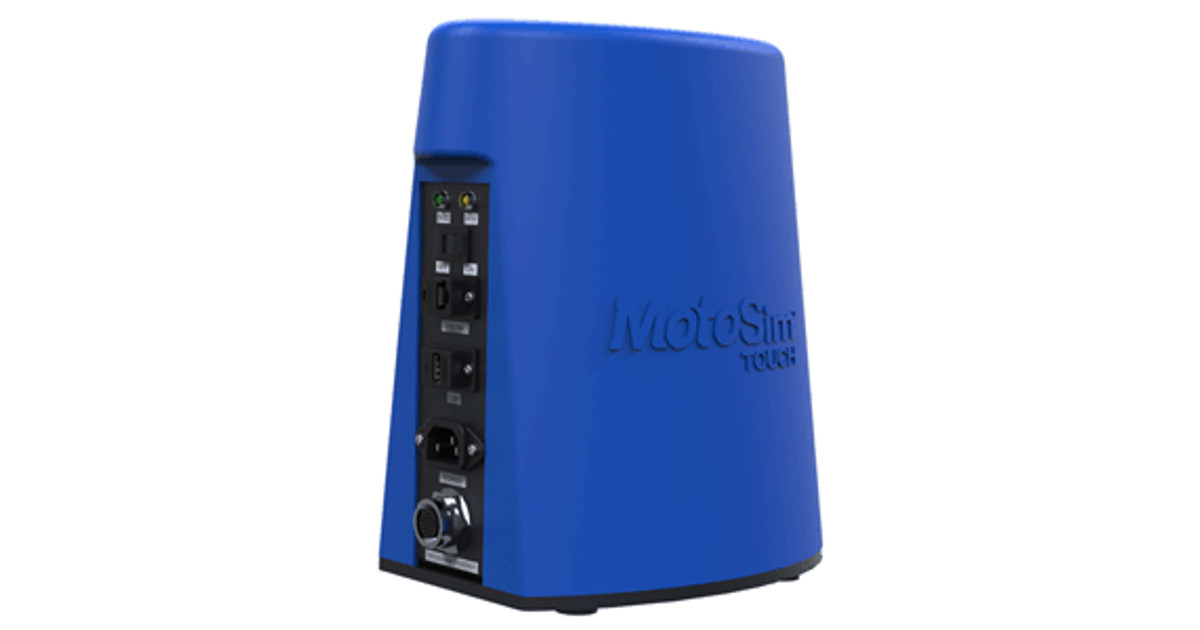
Yaskawa MotoSim Touch is a low-cost PC-based offline programming and simulation package for schools and training centers, giving students a full virtual production environment for Yaskawa robots and the FS100 controller. Pricing is available on request for the required configuration.
Quick Verdict
The package combines MotoSim Touch, a programming pendant and MotoSim EG-VRC for Education. Students switch between a virtual and a hardware pendant, both using INFORM III, and can carry programs on a flash drive to a classroom robot. It is sold to the education market only.
Yaskawa MotoSim Touch is most relevant when its stated function matches the intended process. This software is most relevant to engineering teams whose existing workflow needs its specific stated function. Before selecting it, confirm the interfaces, licensing scope, supported versions and responsibility for long-term support. A small proof of concept should establish the benefit without concealing the work still required for deployment.
MotoSim Touch at a Glance
Manufacturer: Yaskawa Motoman
Model: MotoSim Touch
Product type: Robot simulation for education
Controller: FS100 (virtual)
Language: INFORM III
Included: MotoSim Touch, programming pendant, MotoSim EG-VRC for Education
Features: Multi-robot control, coordinated motion, external axes, diagnostics
Program transfer: Flash drive to physical robot
MotoSim Touch Technical Specifications
Specification | Yaskawa MotoSim Touch |
Manufacturer | Yaskawa Motoman |
Model | MotoSim Touch |
Product type | Robot simulation for education |
Controller | FS100 (virtual) |
Language | INFORM III |
Included | MotoSim Touch, programming pendant, MotoSim EG-VRC for Education |
Features | Multi-robot control, coordinated motion, external axes, diagnostics |
Program transfer | Flash drive to physical robot |
Market | Education only |
Price | Price on request |
Design and User Experience
Software value depends on how well it fits the surrounding engineering workflow. Consider the intended input, the output used by the machine or another application and the people who will maintain the configuration. A tool can be effective at one stage of development without replacing every system used before and after it.
Compatibility and Environment
Start with a representative project and a defined acceptance criterion. Check the required operating system, software version and compatible hardware before assuming that an existing computer or controller can run the selected configuration. Retain a repeatable test case so that changes to parameters and versions can be evaluated against the same baseline.
Programming and Software
Use the documented programming or configuration interfaces for the required workflow. A library, an SDK, a plug-in and a stand-alone application have different integration boundaries. Identify which tasks the product performs and which remain in the host application or controller. Keep the software configuration under version control with the project that consumes it.
Integration and Operating Workflow
Plan startup, normal operation, error handling and recovery as one interface. The consuming application should know whether an operation is complete, rejected or still running. Also decide where configuration and logs are stored. Clear ownership of these responsibilities makes the system easier to commission and maintain.
MotoSim Touch Applications and Use Cases
Robot programming training
Yaskawa MotoSim Touch is described for robot programming training. Test this use case with realistic inputs and the intended processing or control environment. An initial demonstration should become a repeatable sequence before it is treated as a deployment plan. Record any limits that matter to operation, including input formats, expected timing and the behavior when data is missing or inconsistent.
STEM education
Yaskawa MotoSim Touch is described for stem education. Test this use case with realistic inputs and the intended processing or control environment. An initial demonstration should become a repeatable sequence before it is treated as a deployment plan. Record any limits that matter to operation, including input formats, expected timing and the behavior when data is missing or inconsistent.
Offline programming practice
Yaskawa MotoSim Touch is described for offline programming practice. Test this use case with realistic inputs and the intended processing or control environment. An initial demonstration should become a repeatable sequence before it is treated as a deployment plan. Record any limits that matter to operation, including input formats, expected timing and the behavior when data is missing or inconsistent.
Relevant Industries
Education
Training centers
Research institutions
MotoSim Touch Price and Value
Price on request. Request a current quotation from Yaskawa Motoman for the intended configuration and deployment. No fixed USD price is assumed for this review.
A quotation should distinguish development licences, production runtimes, optional modules, maintenance and services. The software price alone may not include configuration, testing or integration with a particular machine. For a reusable deployment, also establish how additional machines or seats are licensed.
Pros and Cons
Pros
Real pendant experience
Programs run on real robots
Low cost
Cons
Education market only
Who Should Choose MotoSim Touch?
This software is most relevant to engineering teams whose existing workflow needs its specific stated function. Before selecting it, confirm the interfaces, licensing scope, supported versions and responsibility for long-term support. A small proof of concept should establish the benefit without concealing the work still required for deployment.
MotoSim Touch FAQ
What is Yaskawa MotoSim Touch?
Yaskawa MotoSim Touch is a low-cost PC-based offline programming and simulation package for schools and training centers, giving students a full virtual production environment for Yaskawa robots and the FS100 controller.
How much does MotoSim Touch cost?
Price on request. Obtain a current quotation for the required configuration, licences, accessories and services. Prices are indicative and may change.
What applications is MotoSim Touch intended for?
Its stated applications include Robot programming training, STEM education, Offline programming practice. Validate the complete intended task before deployment.
What are the main specifications?
Controller: FS100 (virtual); Language: INFORM III; Included: MotoSim Touch, programming pendant, MotoSim EG-VRC for Education; Features: Multi-robot control, coordinated motion, external axes, diagnostics.
How should it be integrated?
Plan startup, normal operation, error handling and recovery as one interface. The consuming application should know whether an operation is complete, rejected or still running. Also decide where configuration and logs are stored. Clear ownership of these responsibilities makes the system easier to commission and maintain.
What are its main strengths?
Real pendant experience Programs run on real robots Low cost
What should buyers check before selecting it?
Education market only Start with a representative project and a defined acceptance criterion. Check the required operating system, software version and compatible hardware before assuming that an existing computer or controller can run the selected configuration. Retain a repeatable test case so that changes to parameters and versions can be evaluated against the same baseline.
Who is the best fit for MotoSim Touch?
This software is most relevant to engineering teams whose existing workflow needs its specific stated function. Before selecting it, confirm the interfaces, licensing scope, supported versions and responsibility for long-term support. A small proof of concept should establish the benefit without concealing the work still required for deployment.
Prices and package contents are indicative and may change. Confirm the final configuration, licensing, accessories, shipping, taxes and integration scope in a supplier quotation.


